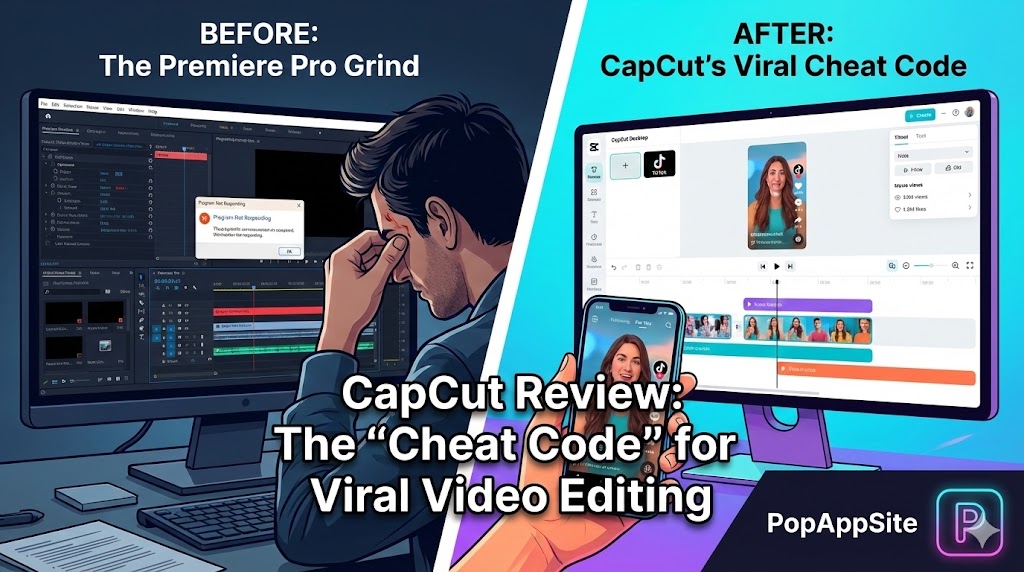
Introduction: Why I Cheated on Adobe Premiere
I used to be a video editing snob. I told myself, “Real editors use Premiere Pro or Final Cut. CapCut is just a toy for teenagers dancing on TikTok.”
But then, reality hit. I needed to edit a 60-second vertical video for a client. In Premiere Pro, I had to manually set the sequence settings, manually type out subtitles (which took forever), and hunt for copyright-free music. My laptop sounded like a jet engine trying to take off.
Out of frustration, I downloaded CapCut Desktop. I finished the edit in 15 minutes. The subtitles were auto-generated. The music beat-sync was automatic. The client said, “Wow, this looks so dynamic!” That was the moment I realized: I’ve been working harder, not smarter.
What is CapCut?
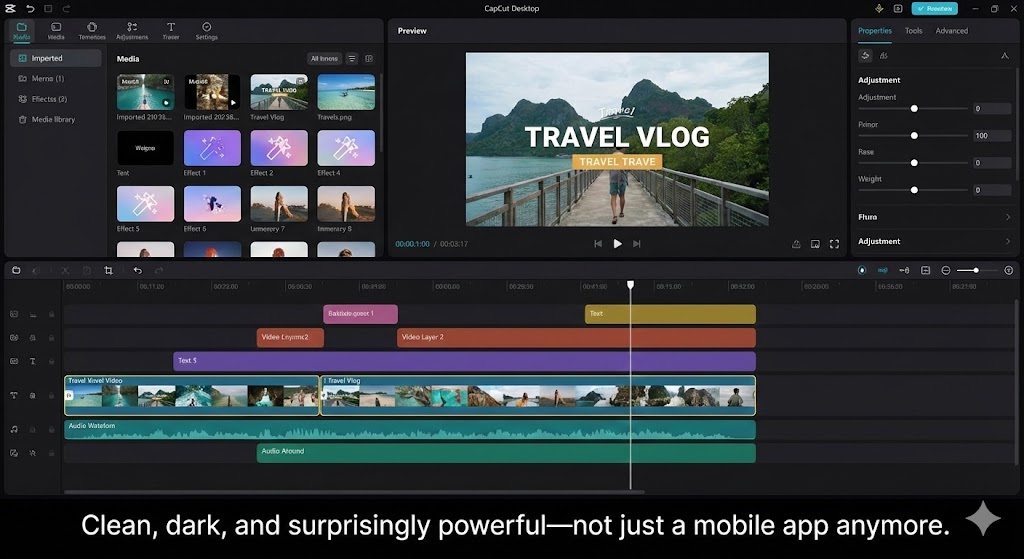
CapCut is a video editing app developed by ByteDance (the company behind TikTok). While it started as a simple mobile app, the Desktop Version (PC & Mac) has evolved into a legitimate beast. It is designed for one thing: Speed.
It bridges the gap between “too simple” (like iMovie) and “too complex” (like Premiere). It gives you professional-looking effects without needing a degree in film school.
The Features That Changed My Workflow
1. Auto Captions (The Absolute lifesaver)
If you make short-form content (Shorts, Reels, TikTok), captions are mandatory. In the old days, I spent hours typing: “Hello…… welcome……” In CapCut, I click “Text > Auto Captions > Create.” Boom. 5 seconds later, the subtitles are there. They are 95% accurate. I can even apply a “preset style” so they pop up word-by-word like those fancy influencers use. This feature alone saved me hundreds of hours this year.
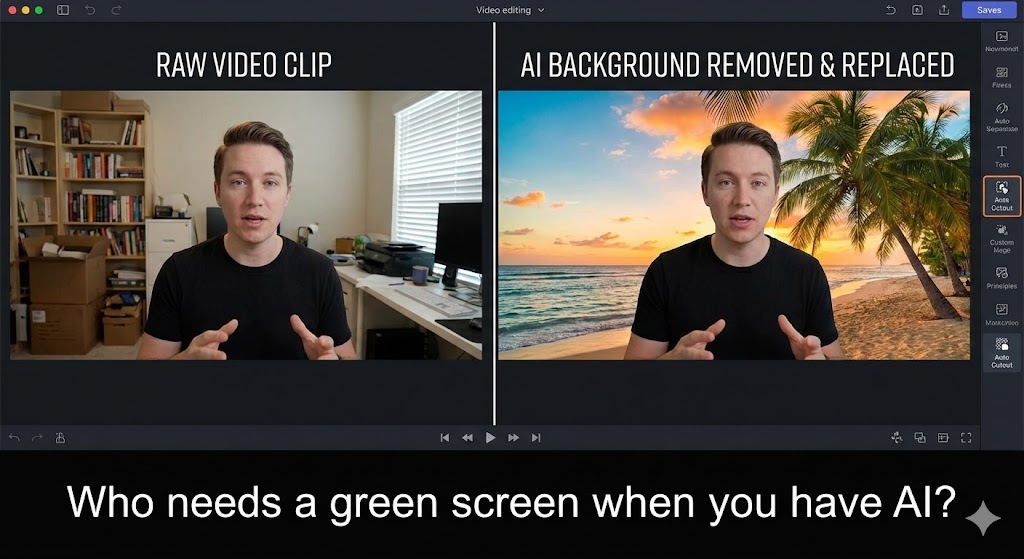
2. The “Cutout” (No Green Screen Needed)
I film in my messy home office. I don’t have space for a green screen. CapCut’s “Auto Cutout” removes my background instantly. Is it Hollywood quality? No. Is it good enough for social media? Absolutely. I can put myself in front of a newsroom, a beach, or a gameplay video with one click.
3. The Effects Library (The “Secret Sauce”)
You know those cool “camera shake” effects, or the “glitch” transitions, or the “retro VHS” look? In professional software, you have to build these from scratch or buy plugins. In CapCut, they are just drag-and-drop. Want to zoom in on your face for dramatic effect? There’s a button for that. It makes your video feel “high effort” when you actually just clicked a preset.
The Honest Truth: It’s Not Perfect
Let’s be real. CapCut is amazing for content, but not for cinema.
- Color Grading: It has filters, but it lacks the deep color wheels and scopes of DaVinci Resolve. You can’t fine-tune skin tones perfectly.
- The “Pro” Paywall: It used to be completely free. Now, some of the best text effects and transitions require a Pro subscription. It’s annoying to find the perfect effect, only to see the little “Pro” label on it.
- Privacy Concerns: Since it’s owned by ByteDance, some users (and governments) are wary about data privacy. I use it on a dedicated machine just to be safe.
Pros and Cons
The Pros:
- Blazing Fast: It runs smoothly even on my older laptop. No more “Premiere Pro has stopped working” crashes.
- Built-in Assets: Stickers, stock footage, sound effects, and music are all inside the app. No need to open browser tabs.
- Cross-Platform: I can start an edit on my phone while on the bus and finish it on my desktop when I get home (using cloud sync).
The Cons:
- Limited Audio Mixing: Good for background music, bad for complex sound design.
- File Management: It creates its own library system which can be confusing if you are used to managing files in folders.
- Watermarks: Be careful—sometimes it sneaks a “CapCut” outro at the end of your video (though you can delete it).
Who Is This For?
- TikTok/Reels Creators: Obviously. It’s the native language of vertical video.
- Marketing Teams: When you need to pump out 5 videos a week.
- Beginners: If you want to edit video but are scared of timelines.
Final Verdict
If you are editing a feature film for Netflix, stick to DaVinci Resolve. But if you are making content for the internet? CapCut is the undisputed king. It removes the friction from editing so you can focus on being creative. I haven’t opened Premiere for a social media video in six months.
My Rating: ⭐⭐⭐⭐⭐ (4.7/5) — Points deducted for locking more and more features behind the Pro paywall recently.










