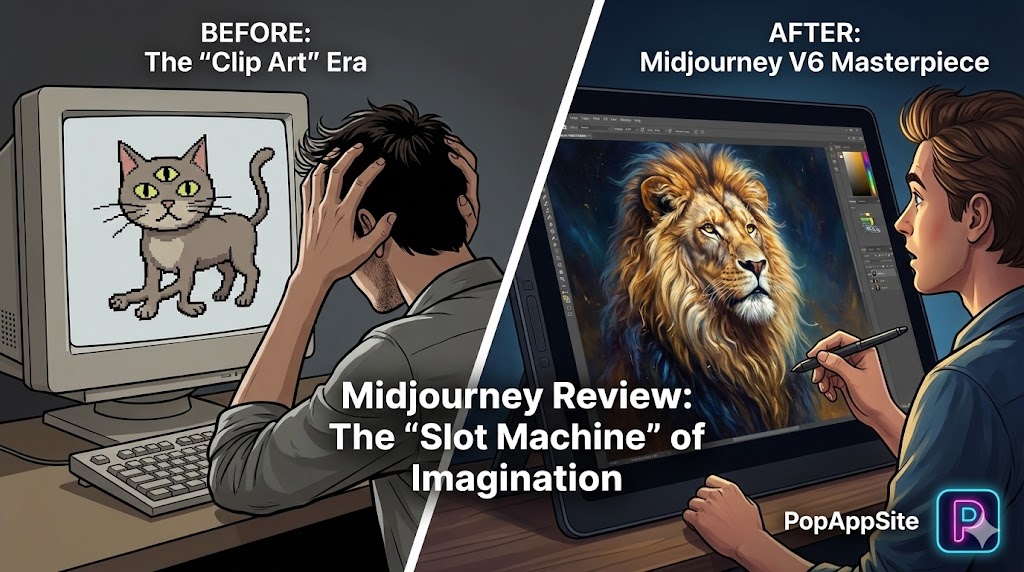
Introduction: I Thought I Was an Artist. Then I Met V6.
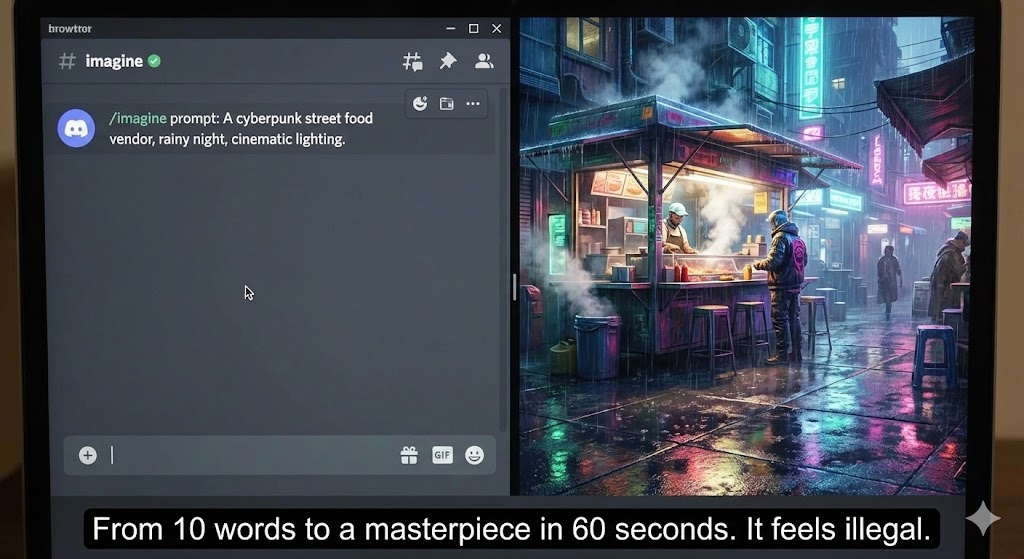
I went to art school. I spent years learning lighting, anatomy, and composition. When AI art first came out, I laughed. “Look at those hands! They have 7 fingers! It looks like plastic!” Then Midjourney dropped version 6 (and now the newer updates). I typed: “A cyberpunk street food vendor, rainy night, cinematic lighting.” I waited 60 seconds. When the image loaded, I didn’t laugh. I felt a cold shiver down my spine. It wasn’t just “good.” It was better than anything I could paint in a week. I realized then: This isn’t a tool. It’s a portal. And I’m addicted.
What is Midjourney?
Midjourney is an AI image generator. You feed it text (prompts), and it dreams up images. Unlike DALL-E (which feels like a stock photo engine) or Stable Diffusion (which requires a degree in computer science to install), Midjourney sits in a weird middle ground. For years, it famously lived inside Discord (a chat app for gamers). Yes, you had to type commands into a crowded chat room to make art. It was chaotic, messy, and intimidating. Now, with the Web Interface finally mainstream, it’s accessible. But the “soul” of Midjourney remains: It is the most “Artistic” AI on the market. It doesn’t just copy; it has style.
The Features That Ruined My Sleep Schedule
1. The “Stylize” Parameter (--s)
This is the secret sauce. Other AIs try to be literal. If you say “Cat,” they give you a cat. Midjourney tries to be beautiful. By cranking up the --stylize value, Midjourney adds lighting, texture, and composition choices that you didn’t even ask for. It acts like a professional photographer who knows better than you. I often type a lazy prompt, add --s 750, and get a museum-worthy image. It makes me look more talented than I am.
2. The “Zoom Out” and “Pan” (Infinite Canvas)
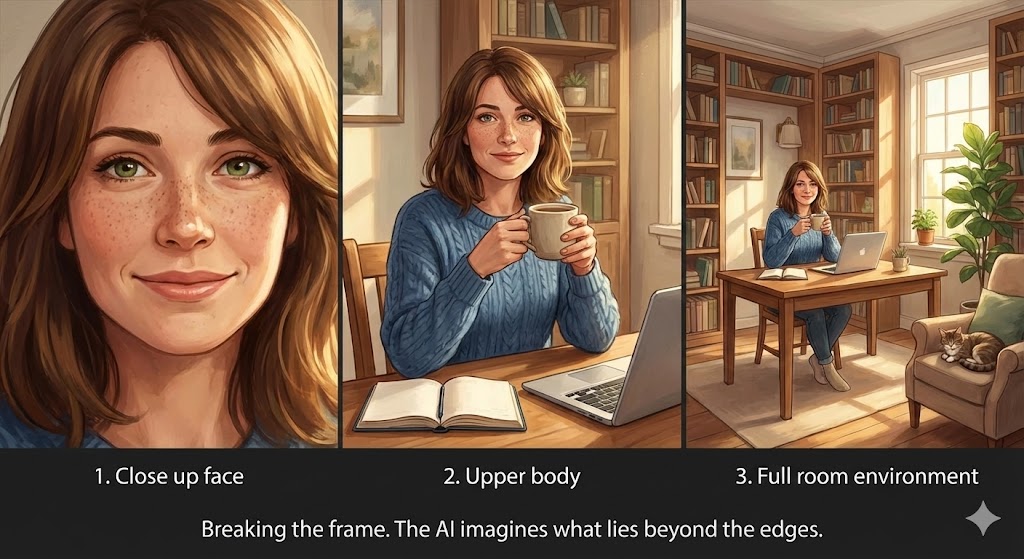
Have you ever generated a perfect portrait, but the top of the head was cut off? In the old days, that image was ruined. Now, I click “Zoom Out 2x”. The AI hallucinates what the rest of the room looks like. It builds the world around your subject. I once started with a close-up of an eye and ended up with a wide shot of a futuristic galaxy. It feels like magic every single time.
3. The “Vary Region” (In-painting)
“The picture is perfect, but… why is he holding a banana instead of a sword?” Before, you had to re-roll the whole image and pray. Now, with Vary Region, I just highlight the banana and type “Sword.” Boom. Fixed. It gives you granular control that professionals need.
The Honest Truth: The “Discord” Friction
Let’s address the elephant in the room. For a long time, using Midjourney meant scrolling through Discord channels, seeing other people’s weird anime generations flying past your screen. Even with the new website, the “culture” is still very technical. You need to learn the “spells”:
--ar 16:9(Aspect Ratio)--weird 500(Make it strange)--no text(Negative prompting) It’s not as simple as “Click and Create.” It requires learning a new language. Also, it’s expensive. There is no free tier anymore. You pay $10-$30 a month, or you get nothing. And trust me, you will burn through those “Fast Hours” quicker than you think because…
It is a Slot Machine. You will generate an image. It’s almost perfect. So you hit “Re-roll.” Again. And again. And again. Suddenly, it’s 3 AM, you’ve spent $10 worth of credits, and you are just chasing the dopamine hit of the “perfect” generation.
Pros and Cons
The Pros:
- Best-in-Class Quality: Hands down. Nothing beats Midjourney for texture, lighting, and artistic composition.
- Community: Looking at what other people generate is actually the best way to learn.
- Constant Updates: The team moves fast. Every few months, a new version drops and blows our minds again.
The Cons:
- Subscription Only: No free trial limits the audience.
- Copyright Grey Area: Can you copyright these images? (Currently: No). Did it train on artists’ work without permission? (Yes). This is a moral dilemma you have to accept.
- Text Rendering: It’s getting better at writing text on signs, but it still makes typos.
Who Is This For?
- Designers: For mood boards and concept art. It speeds up the “brainstorming” phase by 10x.
- Writers/D&D Players: Visualizing your characters or scenes.
- Anyone who can’t draw: This is the great equalizer. If you can imagine it and describe it, you can create it.
Final Verdict
Midjourney is terrifyingly good. It forces us to ask: What is creativity? Is it the brush stroke, or is it the idea? If you can get past the subscription fee and the learning curve of the prompts, it is the most powerful creative tool of the 21st century. Just be careful. It is addictive. Don’t say I didn’t warn you.
My Rating: ⭐⭐⭐⭐⭐ (4.9/5) — The king of AI art, reigning supreme.










